
tltr: use AUTOMATIC1111/stable-diffusion-webui, it works like a charm.
In my exploration, I tried these setup:
Google Colab
Watch this video and in the description there is a link to Google Colab:
https://www.youtube.com/watch?v=ltLNYA3lWAQ
This is a very simple code example on how to run txt2img and img2img, however the free Google Colab runtime can’t run all the examples because of out of GPU memory.
But at least you don’t need to setup anything locally. It’s a nice start to understand the code.
Local setup – CUDA & Pytorch
I later on tried the above code with local machine, I have Nvidia GPU so I need to setup CUDA.
My GPU supports CUDA 11.6 and Pytorch supports CUDA 11.6, so I downloaded CUDA 11.6 here.
For some reason the command generated from Pytorch didn’t work, torch.cuda.is_available() returns false even I’ve installed CUDA. After some searching, this works for me: pip install torch==1.12.0+cu116 torchvision==0.13.0+cu116 torchaudio==0.12.0 -f https://download.pytorch.org/whl/torch_stable.html
Here are a few methods to confirm if CUDA is properly installed, open cmd and run these:
(1) NVIDIA System Management Interface
cd C:\Windows\System32\DriverStore\FileRepository\nvdmui.inf_amd64_xxxxxxxxxxxnvidia-smi
(2) NVIDIA CUDA Compiler Driver NVCC
cd C:\Program Files\NVIDIA GPU Computing Toolkit\CUDA\v11.6\binnvcc --version
(3) Pytorch environment information
python -m torch.utils.collect_env
GPU out of memory

RuntimeError: CUDA out of memory. Tried to allocate 1.50 GiB (GPU 0; 8.00 GiB total capacity; 7.21 GiB already allocated; 0 bytes free; 7.24 GiB reserved in total by PyTorch) If reserved memory is >> allocated memory try setting max_split_size_mb to avoid fragmentation. See documentation for Memory Management and PYTORCH_CUDA_ALLOC_CONFTo set PYTORCH_CUDA_ALLOC_CONF:
- On Windows, search “Environment Variable” > click “Environment Variable” > in System variables, click New
- Put variable to be “PYTORCH_CUDA_ALLOC_CONF” and value to be “garbage_collection_threshold:0.6,max_split_size_mb:128”.
max_split_size_mb must be 21 or higher.
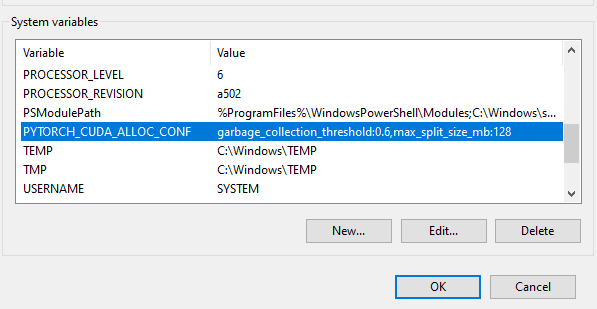
However I notice that setting PYTORCH_CUDA_ALLOC_CONF does not help fixing out of GPU memory issue, the problem comes from the python scripts loading too much stuff to GPU.
I also tried these in python script, no luck neither:
torch.cuda.empty_cache()
import gc
gc.collect()
Optimized Stable Diffusion (github)
Since my machine will also run out of GPU memory using the simple code example above, so I tried this optimized version. However, there might be extra steps to get it working.
If you encounter ModuleNotFoundError: No module named 'omegaconf':
- Open cmd and cd to the Optimized Stable Diffusion folder
pip install -e .
It you encounter errors about taming:
- pip install taming-transformers
- Clone https://github.com/CompVis/taming-transformers.git
- Replace
C:\Users\YourName\AppData\Local\Packages\PythonSoftwareFoundation.Python.3.10_xxxxx\LocalCache\local-packages\Python310\site-packages\taming\modules\vqvae\quantize.py
by https://github.com/CompVis/taming-transformers/blob/master/taming/modules/vqvae/quantize.py
To download stable-diffusion-v-1-4-original model:
- Click on Files and versions tab
- Click on sd-v1-4.ckpt, click download
- Put this sd-v1-4.ckpt in models\ldm\stable-diffusion-v1\model.ckpt
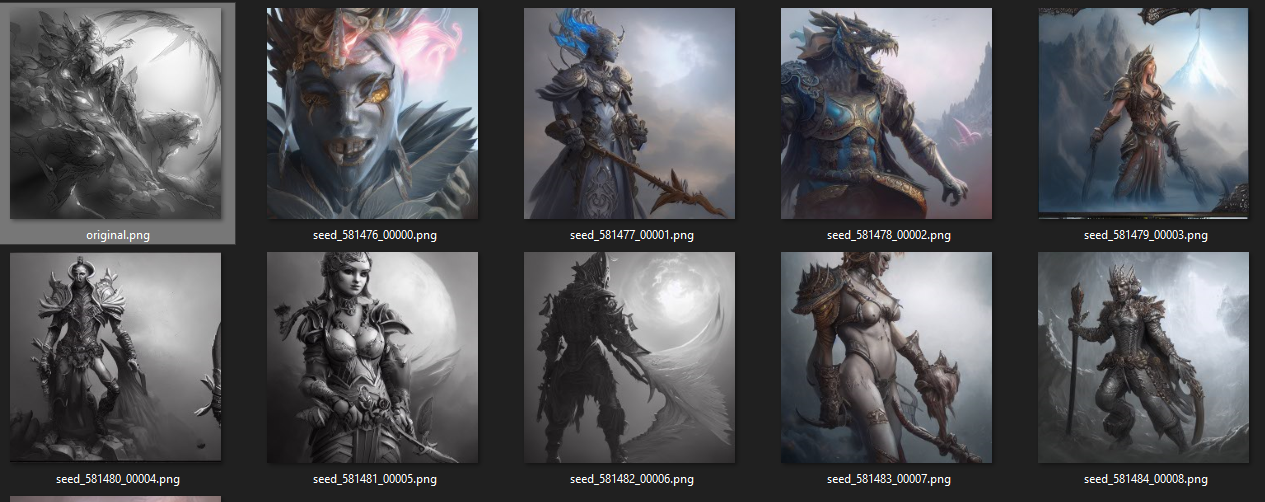
From Task Manager it shows that Optimized Stable Diffusion only occupies less than half of my GPU memory:

Stable Diffusion Webui (github)
I made a symlink so that I don’t have to copy the model.ckpt into this repo local folder (models\Stable-diffusion\model.ckpt).
Double click webui.bat to run it, it works like a charm!
Watch this video to understand what each settings does:
https://www.youtube.com/watch?v=Z3IHmdqUar0
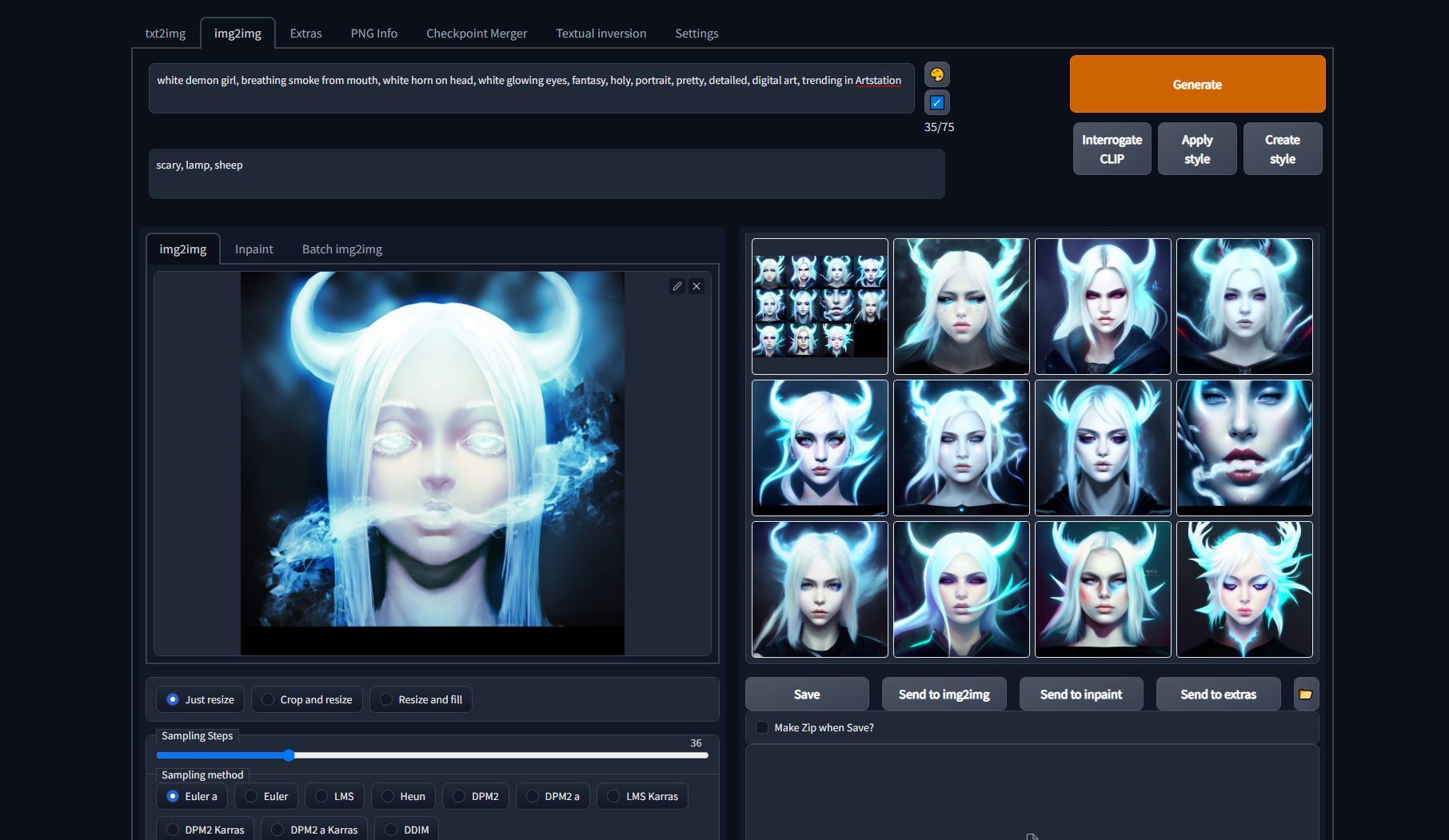
Prompt: white demon girl, breathing smoke from mouth, white horn on head, white glowing eyes, fantasy, holy, portrait, pretty, detailed, digital art, trending in Artstation
This version of stable diffusion is faster than the optimized one and utilizes the GPU memory without going out of memory:

 Ming Wai Chan
I’m using Linux, an AMD card, and Automatic1111, and getting this every time I try to do anything bigger than a grainy little 512×512:
torch.cuda.OutOfMemoryError: HIP out of memory. Tried to allocate 2.44 GiB (GPU 0; 7.98 GiB total capacity; 3.02 GiB already allocated; 2.38 GiB free; 5.42 GiB reserved in total by PyTorch) If reserved memory is >> allocated memory try setting max_split_size_mb to avoid fragmentation. See documentation for Memory Management and PYTORCH_HIP_ALLOC_CONF
It previously worked up to 1280×1280, but something deep in the guts of the OS broke so badly last week–problems with sound, problems with Nemo, instability, but only with one user account,–that I could think of nothing other than to back up the /home/ directories of the admin and user accounts, format, and reinstall Linux. I tried copying and pasting the original SD installation from the backup but it wouldn’t run. I had to reinstall git and start over from the beginning to reinstall SD. Now it’s painfully slow–I was getting 3.5-4 it/sec before, but now it’s more like 2-3 sec/iteration–and can’t do anything more than 512×512, which now takes almost a minute and a half, when it previously took under six seconds, and frequently crashes when I try to do a 512×512.
Anyway, the error message says to do something with max_split_size_mb. I assume that’s one of the command-line arguments I have to put into the arg section of webui-user.sh. I don’t have the faintest idea what the syntax is, though. When I put these error messages into Google I find garbage SEO gibberish pages that look like they were created with a PERL script that copies and pastes random snippets of tech-related material together, and a few Reddit discussions where people either have suggestions that only work with an nVidia GPU, or say “gosh computers are hard, I dno lol.” You are the only one who seems to know something about the command-line args for SD.
LikeLike