
The #include flow (only the first Subshader level)
private link for myself

Send data to c# script from shader: vert/frag and surface shaders!
Continue reading “[Good for shader debug] UAV RandomWriteTarget”
Import time – when you create a .shader file
Build time – when you build a player
Run time – when you open the app
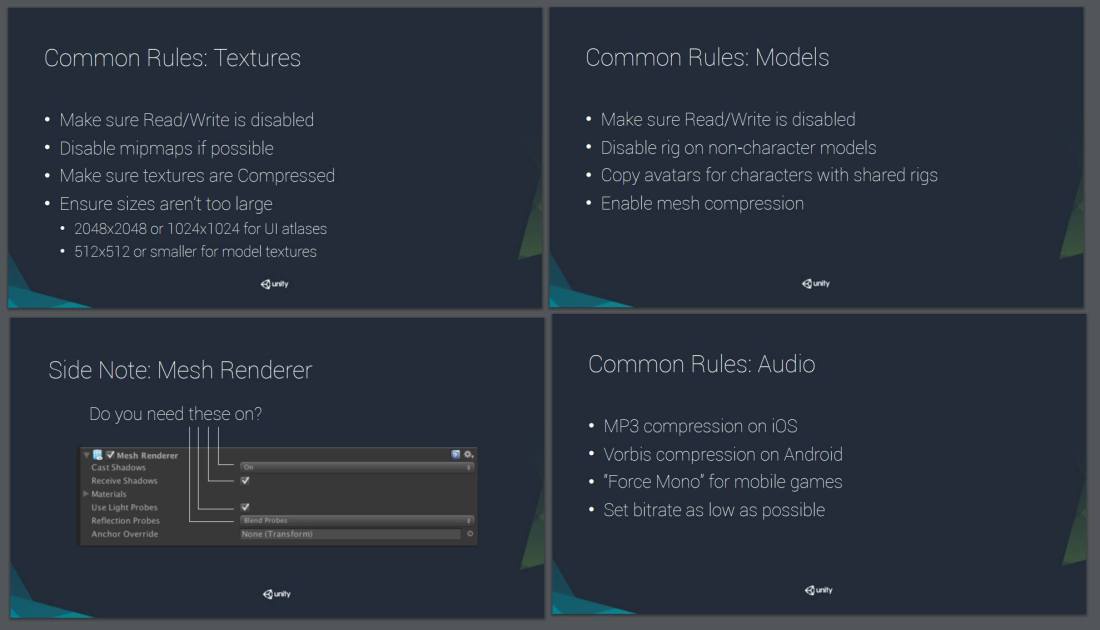
Unite Europe 2016 – Optimizing Mobile Applications
https://www.youtube.com/watch?v=j4YAY36xjwE&list=PLX2vGYjWbI0RtPoeDoBUPnwY8USGra-pD&index=28
In the past, we uses mul(UNITY_MATRIX_MVP, v.vertex) to convert vertex position from local to world space. v.vertex is float4 which has w component.
But in most cases w is = 1. To make vertex shader run faster, Unity replaced it with UnityObjectToClipPos(float3 pos), which ignores w component even you pass a float4 position instead of float3.
For some advanced users who still need the w component in their custom shaders, here is a cheaper UnityObjectToClipPos() function which respects the w component!😄
// More efficient than computing M*VP matrix product

inline float4 UnityObjectToClipPosRespectW(in float4 pos)

{

    return mul(UNITY_MATRIX_VP, mul(unity_ObjectToWorld, pos));

}
I know many people are curious about how to make shaders available for Shuriken Particle System to use, the concept is very simple!!
Continue reading “Unity Shader for Shuriken Particle System”
As mentioned, the Lava Flowing Shader has been released for free on Unity Asset Store!
Link: https://www.assetstore.unity3d.com/en/#!/content/33635
As my knowledge about shader keeps growing slowly, I found that I can blend more than 2 layers of “UV”…..It is because the 2 texcoords limit only limits on input. Your FBX model can only have 2 UV channels but shader can make instances of the 2 UV texcoords and thus let you have more layers of texture blending. I will try to update the package later.
*************************
Another package Simple SeeThrough Shader has been released on Unity Asset Store also. Link: https://www.assetstore.unity3d.com/en/#!/content/33924

 Ming Wai Chan