Seeing there is no tutorial about this and I’ve been recently playing with this so hopefully this would help someone like myself 🙂
In my case I’m using AppRemote only as I only want to grab Spotify’s current playing track information on my Android app + trigger song playing. If you are also going to use the Spotify Android SDK, make sure you have installed latest Spotify app on your Android device.
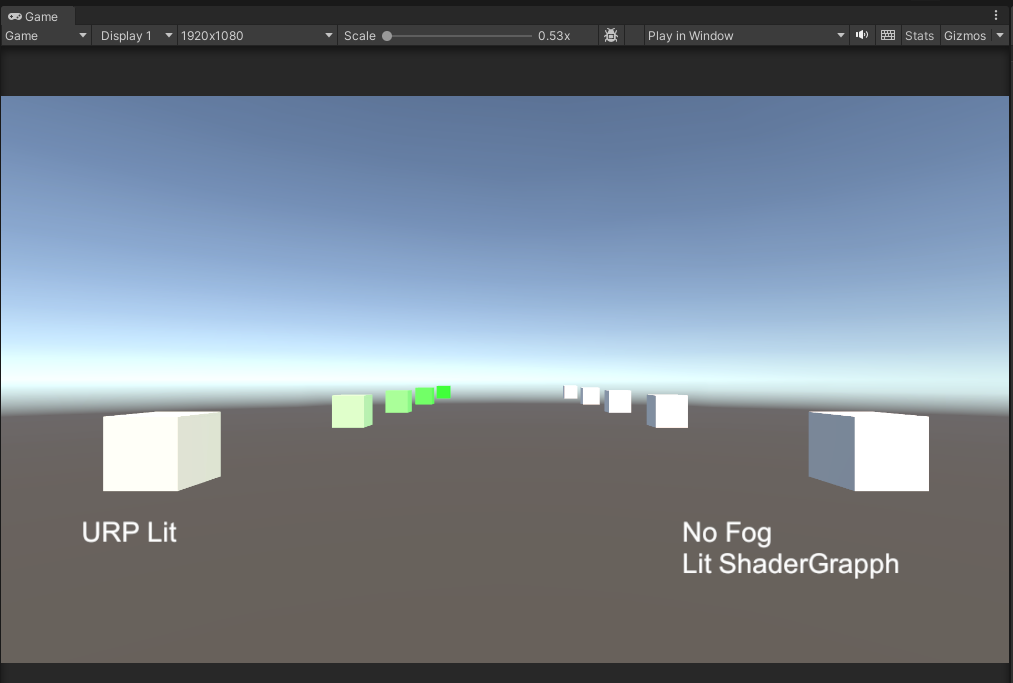
Scenario: An environment with many objects with different materials that need fog but there is some special ShaderGraph material objects that do not need fog.
Hack for Editor:
Of course you have enabled Fog in LightingSettings
Create a ShaderGraph and add these 3 FOG keywords
Make sure the Reference are exactly “FOG_LINEAR“, “FOG_EXP” and “FOG_EXP2“
Create a material and use this ShaderGraph
I’m using Exponential Squared fog in Lighting Settings so I turn off “FOG_EXP” and “FOG_EXP2”, but leaving “FOG_LINEAR” checked does the trick
Hack for Player:
Create a shader variant stripping script
Put it in Editor folder
Make a player build
using System.Collections.Generic;
using UnityEditor.Build;
using UnityEditor.Rendering;
using UnityEngine;
using UnityEngine.Rendering;

class StrippingExample_Shader : IPreprocessShaders
{
    public StrippingExample_Shader()
    {

    }

    public int callbackOrder { get { return 99; } }

    public void OnProcessShader(Shader shader, ShaderSnippetData snippet, IList<ShaderCompilerData> data)
    {
        for (int i = 0; i < data.Count; ++i)
        {
            //Get a string of keywords
            string variantText = "";
            foreach(ShaderKeyword s in data[i].shaderKeywordSet.GetShaderKeywords())
            {
                variantText += " " +s.name;
            }

            bool wantToStrip = false;

            //Only stripping the shader graph that we don't want fog
            if(
                shader.name == "Shader Graphs/ShaderGraphNoFog" &&
                variantText.Contains("FOG_")
            )
            {
                wantToStrip = true;
            }

            if ( wantToStrip )
            {
                //Strip the variant
                data.RemoveAt(i);
                --i;
            }
        }
    }
}
Note: this page only contains workaround for Builtin-RP and URP in 2019.3 LTS version. Go to above link if you need better explanations and workaround codes for URP in 2022.3 LTS and U6.
Looking for a way to make only the UI matches to what is designed in Photoshop? Don’t want artists to change any workflow(possible solution for artists please refer to this comment) because you are in the middle of development? Try this.
If you are using 2019.1+, you might notice there is a big change to the SRP APIs.
I’ve created a new repository and you can grab here. Much cleaner and minimal.
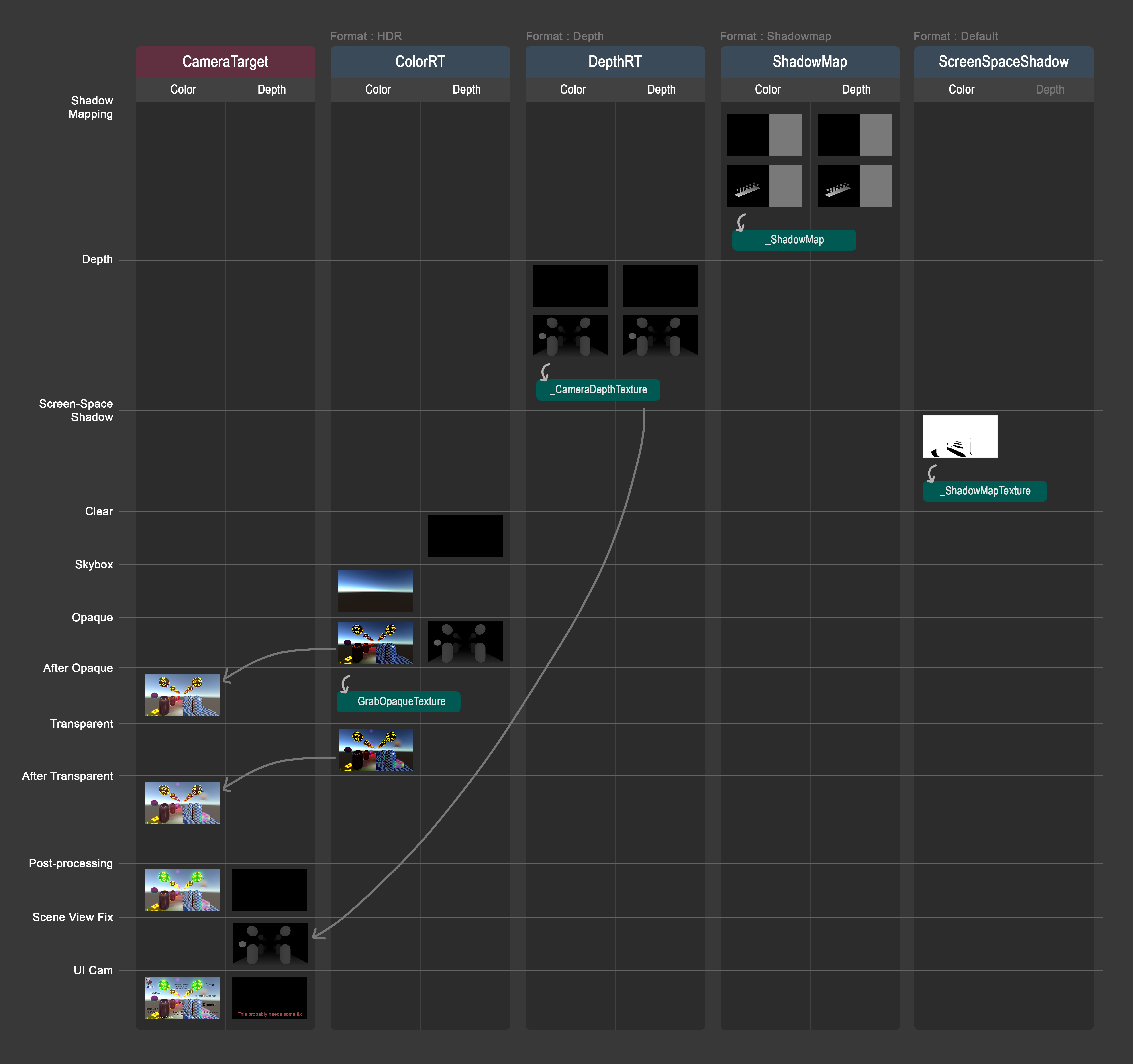
Here lists out exact what codes enable the Unity feature when making our custom SRP.
*Note that my codes may not be perfectly optimised, but the concept itself won’t change. (!) Alert: Below information might be outdated. I stopped updating this note after 2018.x releases.
Indicators: In pipeline code In shader code
✅ Doesn’t need to specifically care about it in codes. Write the codes as usual.
As my knowledge about shader keeps growing slowly, I found that I can blend more than 2 layers of “UV”…..It is because the 2 texcoords limit only limits on input. Your FBX model can only have 2 UV channels but shader can make instances of the 2 UV texcoords and thus let you have more layers of texture blending. I will try to update the package later.





 In pipeline code
 In shader code
 Ming Wai Chan